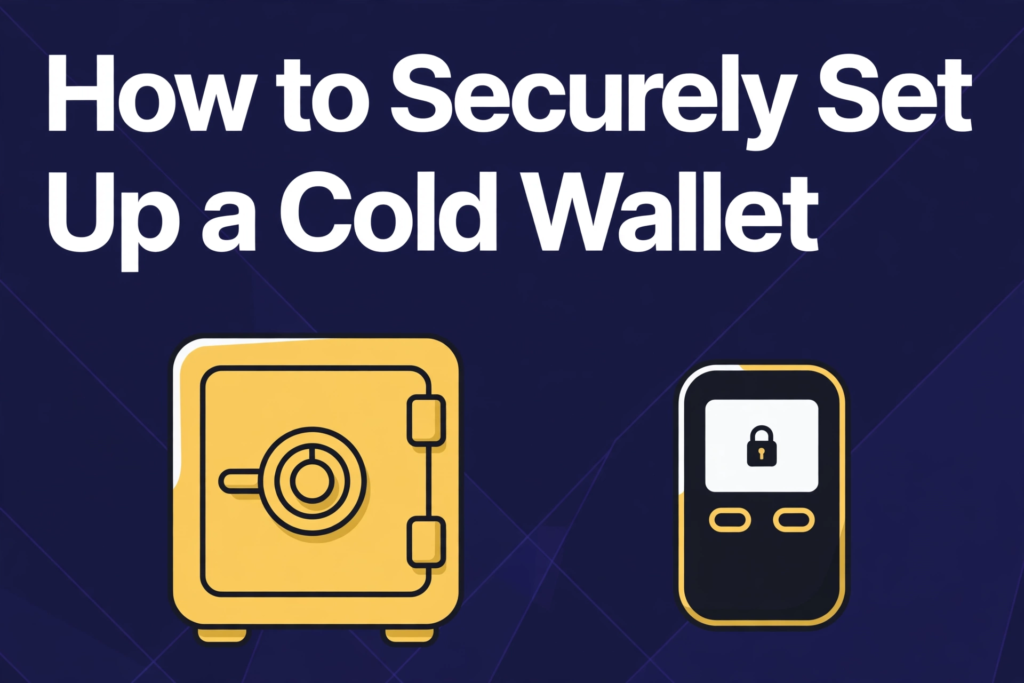
Learning how to securely set up a cold wallet is one of the smartest moves a crypto owner can make. A cold wallet keeps private keys offline, away from the internet, hackers, phishing sites, and malware that constantly target online accounts. That single design choice changes the risk profile of holding digital assets. Instead of trusting an exchange account, a browser extension, or a phone app that is always connected, the owner holds the keys in a device or on paper that never touches the internet during normal use.
Quick answer
Buy a new hardware wallet from the manufacturer, create a new wallet on the device, set a strong PIN, write the 12 or 24 word seed phrase by hand, and store two copies in separate offline places. Send a small test amount in and back out before moving a large holding. Never photograph or share the seed phrase.
What a cold wallet is and why it matters
A cold wallet is any crypto wallet whose private keys are generated and stored offline. Private keys are the secret numbers that prove ownership and authorize spending. Whoever holds them can move the funds. In a hot wallet, such as an exchange account or a mobile app, those keys are stored on a device connected to the internet, or held by a third party. In a cold wallet, the keys never leave the offline device or paper during setup and storage.
When a transaction is needed, a cold wallet signs it offline. The signed transaction, not the private key, is then transferred to an online device for broadcast to the network. This separation is the core protection. Even if the online computer is infected with malware, the attacker cannot see the private key, because the key was never on that computer.
Why does this matter in practice? Crypto theft rarely looks like a dramatic break-in. It usually looks like a convincing email, a fake support message, a malicious browser extension, or a compromised exchange account. Hot wallets are exposed to all of those routes every day. Cold storage removes most of them at once. An attacker would need physical access to the device and the backup, plus the PIN or passphrase, to steal funds. That is a much harder target than a password that can be phished from anywhere in the world.
The money angle matters here. A cold wallet is not free insurance. It has an upfront cost, a small amount of time to learn, and ongoing care. For someone holding only a tiny amount, that cost may outweigh the benefit. For someone holding savings, a long-term investment, or funds they cannot afford to lose, the cost is small compared with the value protected. Think of it as buying a safe for digital money: the safe does not make the money grow, but it stops a single online mistake from emptying the account.
Hardware versus paper versus offline options
A hardware wallet is a small dedicated device, often similar in size to a USB stick, built only to generate and store private keys and sign transactions offline. The owner connects it to a computer or phone only to approve a transaction, and confirms the details on the device screen. Hardware wallets are the most popular cold option for most people because they balance security and usability. They typically support many coins, offer a PIN, and guide the owner through seed phrase backup during setup. Their main drawback is cost, and the need to buy from a trustworthy source so the device has not been tampered with.
A paper wallet is a printed copy of a public address and its private key, or a seed phrase written on paper, generated offline. In its simplest form, it costs almost nothing beyond paper and ink. It is fully offline once printed, and it cannot be hacked remotely. However, paper is fragile. It can be damaged by water, fire, fading, or simple wear, and a single printed private key is harder to use safely than a modern hardware device. Paper wallets also require more technical care during generation: the computer used must be offline, clean, and never reconnected with the keys exposed. For most beginners, paper is best understood as a backup method, rather than as the main wallet.
An offline computer or air-gapped device is a third option. This is a dedicated laptop or phone that never connects to the internet, used only to run wallet software and sign transactions. Data moves to and from it by USB drive or QR code. This approach can be very secure when done well, and it costs nothing if a spare device is already available. It also demands the most discipline. One accidental Wi-Fi connection, one infected USB drive, or one software update downloaded on the wrong machine can weaken the setup. It suits technically confident owners, or people who want a second layer of storage for large amounts.
What setting up a cold wallet actually costs
A basic hardware wallet typically costs in the range of $50 to $80 as a typical range, while mid-range models with larger screens, Bluetooth, or support for more coins typically cost in the range of $80 to $150 as a typical range. Premium models with advanced features or metal construction typically cost in the range of $150 to $250 as a typical range. Prices vary by seller, region, and promotions, so these figures should be treated as estimates, not quoted prices. Buying from the official manufacturer or an authorized retailer is worth the full price, because discounted devices from unknown marketplaces carry a tampering risk that can wipe out any saving.
Beyond the device, budget for backup materials. A simple paper backup costs almost nothing, but a metal seed phrase backup plate, designed to survive fire and water better than paper, typically costs in the range of $20 to $80 as a typical range. A small fireproof pouch or safe for home storage can cost $20 to $100 as a typical range, depending on size and quality. None of these items are mandatory on day one, but a backup that survives a house fire or flood is worth far more than its price if it ever gets used.
There are also ongoing transaction costs. Moving crypto from an exchange to a cold wallet incurs a network fee, which varies widely by coin and network congestion. Bitcoin fees, for example, can range from under a dollar in quiet periods to several dollars or more when the network is busy, while fees on other networks can be much lower. Exchange withdrawal fees may add a separate charge. These are one-time costs per move, not monthly fees. There is no subscription for owning a cold wallet itself, and any service that charges a monthly fee to keep a cold wallet active should be treated with suspicion.
Put together, a sensible starter budget looks like this: $50 to $150 for a hardware device, plus $0 to $50 for backup materials, plus network and withdrawal fees for the first transfer. For a holding worth $1,000, that is roughly 5 to 20% of the value, which is significant. For a holding worth $10,000, it is roughly 0.5 to 2%, which is modest insurance. That simple math helps decide when cold storage makes financial sense, and why many owners start with a hardware wallet once their holdings grow beyond pocket-money size.
How to securely set up a cold wallet step by step
Setup should be done slowly, in a private place, without rushing. Set aside 30 to 60 minutes, use a trusted computer, and keep a pen ready for the seed phrase. Do not set up a wallet on a public computer, a borrowed phone, or a network that is not trusted.
First, buy from a trusted source. Order directly from the manufacturer or an authorized retailer. Check that the packaging is sealed and untampered when it arrives. If seals look broken, or the device asks for a pre-filled seed phrase, stop and contact the seller. Never use a second-hand device, and never accept a device that came with a seed phrase already written down.
Second, prepare a clean environment. Use a personal computer with updated security software, and avoid public Wi-Fi during setup. Close unnecessary programs and browser tabs. If possible, set up at home, away from cameras and onlookers, since the seed phrase will be displayed on screen. Third, install only official software. Download the companion app or wallet software from the official website, not from a search ad or a link in an email. Verify the website address carefully. Scammers create near-identical sites to distribute fake apps that steal seed phrases.
Fourth, connect the device and create a new wallet. Choose the option to create a new wallet, not to restore an existing one, unless a recovery is being done on purpose. The device will generate a new seed phrase, usually 12 or 24 words. This phrase is the master backup for all funds in that wallet. Fifth, set a strong PIN. Choose a PIN that is not a birth year, a simple sequence, or a code used elsewhere. A hardware device typically locks or wipes itself after several wrong PIN attempts, which protects against theft but also means the PIN must be memorable or stored safely in a separate place from the seed phrase.
Sixth, write down the seed phrase by hand. Copy each word in order, exactly as shown, onto paper or a metal backup plate. Check spelling and word order twice. Do not photograph the phrase, type it into a phone note, email it to yourself, or store it in cloud storage. A digital copy defeats the purpose of cold storage. Seventh, verify the seed phrase. Most devices ask the owner to confirm the phrase by re-entering words or checking them in order. Complete this check carefully. A single wrong word can make recovery impossible later.
Eighth, consider an optional passphrase. Some devices offer an extra word, known as a passphrase, that creates a hidden wallet on top of the seed phrase. This adds strong protection if the seed phrase is found, but it also adds risk: if the passphrase is forgotten, the hidden wallet cannot be recovered even with the seed phrase. Beginners should skip this feature until they fully understand it and have a safe way to store the passphrase separately. Ninth, receive a small test amount first. Copy the receiving address from the device screen, not only from the computer screen, and send a small test amount. Wait for confirmation, then check that the balance appears in the companion app. This test should never be skipped. Tenth, store the device and backup separately. Keep the hardware device in one safe place and the seed phrase backup in a different safe place. If both are kept together and stolen or destroyed together, the protection of cold storage is lost.
Seed phrase handling and backup rules
The seed phrase is more important than the device. The device can be replaced. The seed phrase cannot be recreated if it is lost, unless a second backup exists. Treat it like the master key to a safe: whoever holds it controls the funds, and no company can issue a replacement.
Follow these backup rules without exception. Write the phrase by hand, never photograph it or store it digitally. Cloud storage, email, messaging apps, and phone notes are all hot storage, and a single account breach can expose them. Store at least two copies in two different locations, so a fire, flood, or theft at one location does not destroy the only backup. For example, one copy can be kept at home in a safe place, and a second copy can be kept with a trusted family member, in a bank safety deposit box, or in another secure location the owner controls. Consider a metal backup for long-term storage. Paper degrades, fades, and burns easily. A stamped or engraved metal plate resists fire and water far better, and typically costs in the range of $20 to $80 as a typical range. For holdings that will be kept for years, this is a reasonable upgrade. Even with metal, keep a second copy elsewhere, because metal can still be lost or stolen.
Never share the seed phrase with anyone who asks for it. No legitimate support team, exchange, wallet company, or security service will ever ask for a seed phrase. Any message, call, or website that requests it is a scam, even if it looks official or claims the account is at risk. The same rule applies to the PIN and any passphrase: those are private, and sharing them defeats the wallet security.
Worked example: the true first-year cost of protecting $10,000
Example: an owner holds $10,000 of crypto on an exchange and decides to move it to cold storage. The starter budget is $120 for a mid-range hardware wallet, $40 for a metal seed phrase plate, and $5 in network and withdrawal fees for the first transfer, for a total of $165. That is 1.65% of the holding, paid once, with no monthly fee. The same setup for a 1,000 dollar holding would cost 16.5%, which is why the math favors cold storage once holdings grow beyond pocket-money size. The example also shows why buying a discounted device from an unknown marketplace is false economy: saving $30 on the device risks the entire $10,000 if the device is tampered with.
Common mistakes that lose funds
The first mistake is buying a tampered or second-hand device. A device that arrives with a pre-written seed phrase, scratched seals, or unofficial firmware may already be compromised. Always buy new from a trusted source, and always create a fresh wallet during setup. The second mistake is storing the seed phrase digitally. A photo in a phone gallery, a note synced to the cloud, or a document in email can be accessed by malware, a stolen phone, or a breached account. The moment a seed phrase touches the internet, the wallet is no longer truly cold. Handwritten or metal backups, stored offline, are the safe standard.
The third mistake is sending funds to the wrong address. Crypto transactions are generally irreversible. A single wrong character, a pasted address changed by malware, or a scam address copied from a fake site can send funds to a stranger with no way to reverse it. Always verify the full address on the device screen, send a small test amount first for large transfers, and never trust an address sent by email or social media without independent verification. The fourth mistake is falling for support scams. Fake support agents on social media, messaging apps, and search ads often claim an account needs verification, a wallet needs syncing, or funds are at risk. They then ask for the seed phrase, a PIN, or remote access to a computer. Real support never asks for those details. When in doubt, close the chat and contact the company through its official website only.
The fifth mistake is losing the seed phrase while keeping the device safe. Many owners focus on the device and forget that the phrase is the real backup. If the device breaks and the phrase is missing, funds may be unrecoverable. If the phrase is kept but the device is lost, recovery is straightforward. That asymmetry is why backup care deserves more attention than device care. The sixth mistake is using an extra passphrase without understanding it. A passphrase creates a separate hidden wallet. Funds sent to that hidden wallet cannot be recovered with the seed phrase alone. Owners who set a passphrase, forget it, and later restore with only the seed phrase will find an empty wallet and may panic, thinking funds were stolen, when in fact they are locked behind the forgotten word. Only use a passphrase with a separate, secure record of it. The seventh mistake is rushing a firmware update or a transaction. Updates installed from unofficial links, transactions approved without reading the device screen, and transfers made under time pressure all increase risk. Slow down, read every screen, and confirm every address and amount. In crypto, a few extra seconds of checking can save a lifetime of savings.
How to test with a small amount first
Testing with a small amount is the cheapest insurance in cold storage. It proves that setup, backup, receiving, and sending all work, before a large amount is at stake. Start by sending a small test amount, for example $10 to $50 worth of crypto as a typical example, from an exchange or another wallet to the new cold wallet address. Choose an amount that would be painful to lose but not devastating, and that is large enough to cover network fees and still arrive as a visible balance. Wait for network confirmations, then check the balance in the companion app and, if possible, on the device itself.
Next, practice sending a tiny amount back out, for example a few dollars worth, to a known address the owner controls, such as an exchange deposit address or a hot wallet. This step proves that spending works, that the PIN is correct, and that transaction approval on the device is understood. Many owners skip this step and only discover a problem when they urgently need to move a large amount.
How to recover if a device is lost or damaged
Losing a hardware device feels alarming, but it does not mean losing the funds, provided the seed phrase backup is safe. Crypto is stored on the blockchain, not inside the device. The device only holds the keys. With the seed phrase, those keys can be recreated on a new device. To recover, buy a new compatible device from a trusted source, or install a compatible software wallet only as a temporary measure if a new device cannot be obtained quickly. Choose the restore option during setup, enter the seed phrase in order, and set a new PIN. The wallet should then show the same addresses and balances as before. Verify the receiving address matches the old one before sending or receiving further funds.
If the device was stolen, recovery should be done promptly, and the owner should consider moving funds to a brand-new wallet with a fresh seed phrase after recovery. This step matters because a thief who also finds the PIN or passphrase could potentially access the old wallet. Moving funds to a new wallet, with a new seed phrase and new backups, closes that risk. The cost is a few network fees and some time, which is small compared with the value protected. If the seed phrase is lost but the device still works, move funds immediately to a new wallet with a fresh seed phrase. Do not wait. A working device with no backup is a single point of failure: one drop, one battery failure, or one forgotten PIN could lock funds away permanently. Creating a new wallet and transferring funds, while the old device still works, is the only safe fix. If both the device and the seed phrase are lost, recovery is generally not possible. No company, exchange, or wallet maker can restore a seed phrase they never held. This harsh reality is why two separate backups are stressed throughout this guide. It is also why owners should rehearse the recovery steps before they need them in a crisis. Knowing the process in advance turns a stressful loss into a routine replacement.
Pros and cons
The pros are strong: private keys never touch the internet, phishing and exchange hacks are largely neutralized, the owner controls the funds directly, and there is no monthly fee. The cons are real too: an upfront device cost, a learning curve, personal responsibility for backups with no password reset, irreversible transactions if an address is wrong, and the risk of losing everything if both device and seed phrase are lost. Cold storage removes online exposure, but it replaces it with physical responsibility. Owners who accept that trade, and follow the backup rules, get the strongest everyday protection available for crypto holdings.
Frequently asked questions
Can I recover my crypto if I lose the hardware device?
Yes, if the seed phrase backup is safe. Buy a new compatible device, choose the restore option, enter the seed phrase in order, and set a new PIN. The wallet will show the same addresses and balances, since crypto lives on the blockchain, not inside the device.
What if I lose the seed phrase but still have the device?
Move funds immediately to a new wallet with a fresh seed phrase. Do not wait. A working device with no backup is a single point of failure: one drop, one battery failure, or one forgotten PIN could lock funds away permanently.
Should I use a passphrase on top of my seed phrase?
Only if you fully understand it and have a separate, secure record of it. A passphrase creates a hidden wallet that cannot be recovered with the seed phrase alone. Beginners should skip it until they have a safe way to store the passphrase separately.
Is a paper wallet enough, or do I need a hardware wallet?
Paper works as a backup, but a hardware wallet is the better main wallet for most people, since it signs transactions on the device and guides setup and backup. Paper is fragile, harder to use safely, and needs more technical care during generation.
Will a support agent ever ask for my seed phrase?
Never. No legitimate support team, exchange, wallet company, or security service will ever ask for a seed phrase, PIN, or passphrase. Any message, call, or website that requests one is a scam, even if it looks official.
Final checklist before moving large amounts
Before moving a large holding to cold storage, run through this short checklist. Device bought new from a trusted source. New wallet created, not restored from a supplied phrase. PIN set and memorable. Seed phrase written by hand, checked twice, and stored in two separate offline locations. Small test amount sent in and sent back out successfully. Receiving address verified on the device screen. Firmware updated only through the official app, with backup confirmed first. No digital copy of the seed phrase exists anywhere. With each item confirmed, the owner can move funds with confidence, knowing the most common risks have been addressed.
Cold storage rewards patience and care. It does not promise profits, and it does not remove market risk, but it does remove the largest everyday threat to crypto holdings: online exposure. For owners who take the time to set it up correctly, back it up properly, and test it with a small amount first, a cold wallet turns a vulnerable online balance into a protected long-term holding. That protection, bought for the price of a device and an hour of careful setup, is one of the best value investments in personal crypto security.
For background, see the Trezor guide to hardware wallets and the Bitcoin.org guide to securing a wallet. Related guides on this site: best personal finance books, 401k tax calculator and withdrawal, and interest rate calculator.
Sources and methodology
The figures, rules, and rates in this guide come from the authoritative sources linked throughout the article, including trezor.io, bitcoin.org. Where a figure is an estimate or a worked example, the article says so.